Mobile View Access
Mobile View Access for Remote Security Monitoring on Your Smartphone
Mobile View Access for Remote Security Monitoring on Your Smartphone
It is not necessary for you to be physically present on your premises in order to know what is going on.
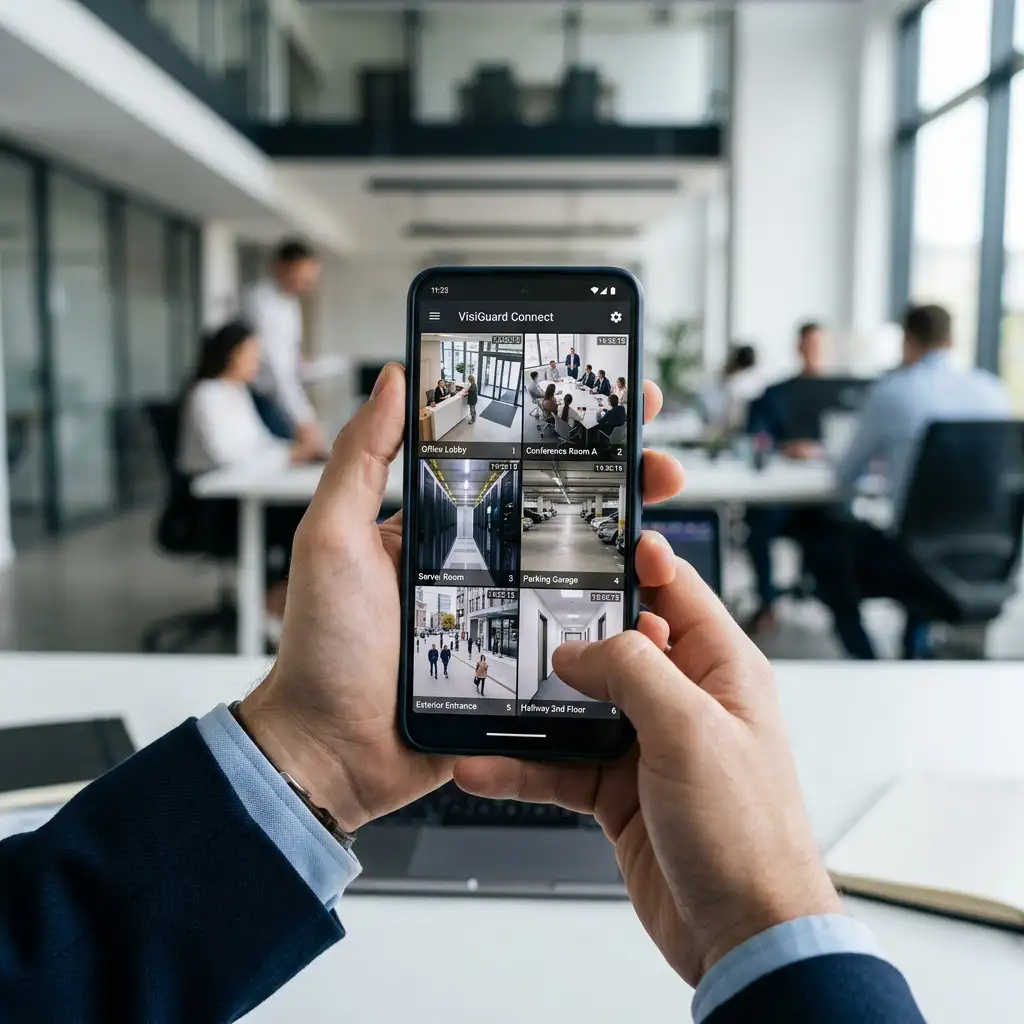
For businessmen, facility managers and homeowners, remote monitoring of their security cameras can be quite helpful. A peek into the entrance, reception, parking spot or stockroom will provide you with the relevant information even when you are on the road, busy working somewhere else or just absent from your premises.
Mobile View Access connects compatible security systems with authorised smartphones or mobile devices, giving users convenient remote access to selected camera feeds and security information.
At Elv Protector, we provide smart and reliable security solutions designed to protect people, property and assets with advanced technology and 24/7 support. Our Mobile View Access solutions are planned around practical remote-security needs, user permissions and the existing surveillance infrastructure.
How Mobile CCTV Viewing Helps You Check Your Property From Anywhere
Remote camera access can be useful in everyday situations.
A shop owner may want to check the premises after closing. A manager travelling for work may need to view an office entrance. A warehouse operator may want to check activity around a loading area without travelling to the site.
Compatible Mobile View Access can make these checks possible through an authorised smartphone or device.
The experience depends on the CCTV equipment, its usage, internet connectivity and setup of the system. Though it is convenient, it must also be secure.
Why Internet Connectivity Matters for Reliable Mobile Camera Viewing
Mobile View Access depends heavily on connectivity.
Your property needs a suitable internet connection, while the smartphone also requires internet access when the user is away. Network quality can affect how quickly video loads and how smoothly live footage is displayed.
This is one area where customer expectations need to be realistic.
Mobile access doesn't create an internet connection where none exists. If the property's network is unstable, remote viewing can also be affected.
During installation, connectivity requirements should therefore be considered alongside the cameras and recording equipment.
Connecting Mobile View Access With CCTV and Other Security Systems
Remote camera viewing can become more useful as part of a wider security setup.
For example, an Alarm System may generate an event while CCTV provides the visual information needed to understand what's happening. Access Control can manage entry, while Mobile View Access gives an authorised user the ability to check the relevant camera feed remotely.
This creates a connected approach without making the smartphone the entire security system.
For customers comparing Best Mobile View Access Services, compatibility with existing security equipment should be one of the first questions asked.
How We Set Up Mobile Camera Access for Everyday Use
We first review the existing CCTV infrastructure and understand which cameras need to be available remotely.
Next, the recording equipment, network connectivity and user requirements are assessed. Compatible mobile access is then configured according to the selected system.
User credentials and relevant permissions are considered before testing begins.
The final stage involves checking remote viewing and explaining basic usage to authorised users. The aim is to make the system easy enough for everyday operation without overlooking security settings.
And yes, a short practical explanation can make a big difference.
What Affects Mobile View Access Pricing?
The cost of Mobile View Access depends on the existing CCTV system, recorder or camera compatibility, networking requirements, number of users, configuration work and any required upgrades.
Yes, adding remote access can involve an additional investment. But if you regularly manage a property away from the premises, the convenience can make the feature genuinely useful.
If your current cameras already support suitable remote connectivity, the required work may be more straightforward.
Customer Experiences With Mobile Security Access
“I travel regularly for work and wanted to check our office without calling someone every time. Mobile access has made it much easier to see the entrance and reception area when I'm away.”
Rahul Sen, Kolkata
“Our main requirement was remote access to the shop cameras. The team also explained user permissions, which was useful because two managers use the system.”
Pooja Mehta, Mumbai
Frequently Asked Questions About Mobile View Access
Stay In Touch With Your Premises Anytime
Your absence from your premises doesn’t necessarily have to make you completely oblivious of it.
With appropriate Mobile View Access, you can get an idea of the important parts of your premises without being physically present. Contact us to discuss your existing CCTV setup and remote viewing requirements.